Discord News Feed Bot
Readybot brings RSS feeds, YouTube videos, reddit posts, Twitch streams, X (Twitter) & Bluesky posts plus countless other news sources to your server.
Set up Readybot for your community
Trusted by 10 000+ servers
Communities of all sizes are updated by Readybot every day























































Stay in the loop
Send updates from supported websites & RSS feeds to your Discord community.

Reliable & trusted
Readybot delivers over a million messages every day to 10 000+ servers and counting.

Follow live streams
Receive alerts when streams on Twitch.tv go live and follow your favorite streams. Learn more...

Find new feeds
Add recommended feeds from our free selections across News, Technology, Gaming, Finance and more.

Feed filters
Filter feed items by title, author, URL and description for the things that matter.

Message templating
Customize the name and appearance of Readybot and modify the text of messages.

Mention users
Alert users and roles in messages when feeds are updated.

Premium speed
Set a feed update interval as low as one minute on our Premium Membership plan.
Set up Readybot RSS bot in 45 seconds
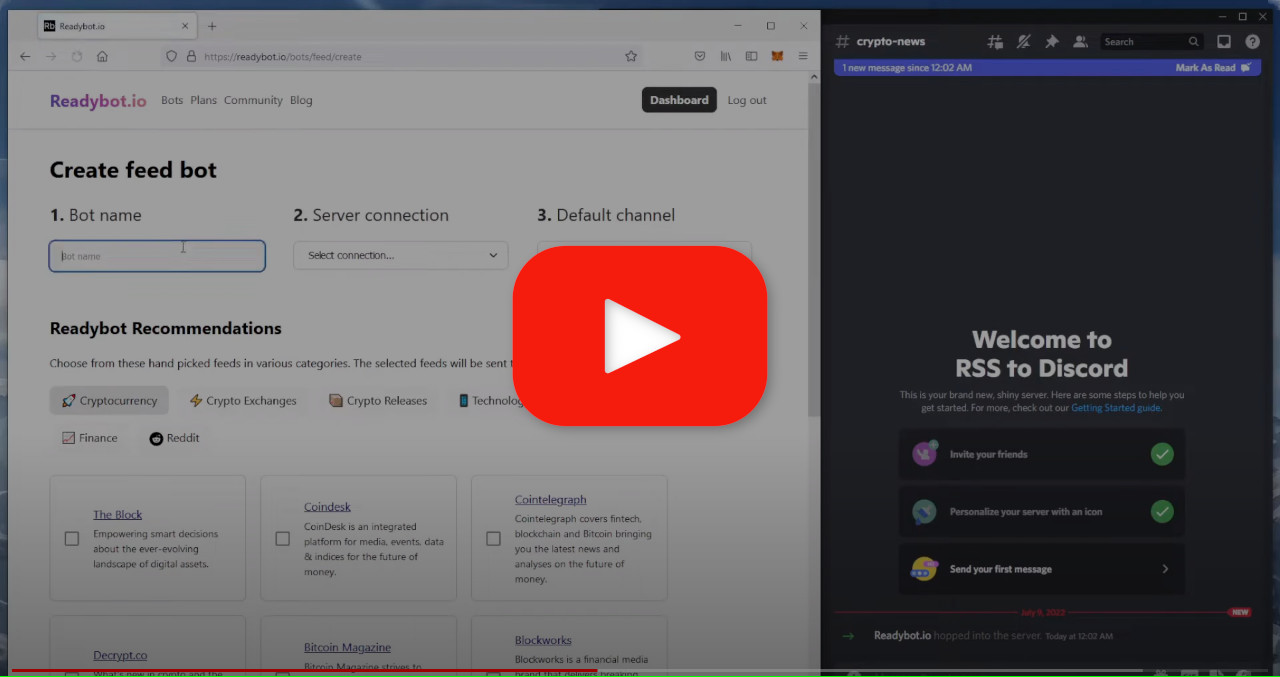
Add Readybot to your server for free
Bring the web to your Discord server
Readybot aggregates social updates, news & feeds. Bring YouTube channels, Twitch streams, subreddits, blogs and more to your Discord server.
X (Twitter)
X tweet alerts to Discord
Twitch
Twitch streaming alerts to Discord
YouTube
YouTube channels and new videos to Discord

Medium
Medium blogs to Discord
GitHub
GitHub commits, tags and releases to Discord
RSS
RSS & Atom compatible websites to Discord
Blogs & WordPress
Blog & news updates to Discord
Bluesky
Bluesky updates to Discord
Mastodon
Mastodon updates to Discord
Status Pages
Service status updates to Discord
Crunchyroll
Crunchyroll & anime updates to DiscordLooking for another integration? Ask the Readybot community
Get Discord notifications when feeds are updated
Readybot keeps an eye on your RSS and news feeds around the clock. Choose which Discord channel and server feeds are automatically sent to.
Make your pick from Readybot Recommendations
Add feeds from Readybot curated Recommendations across multiple categories: cryptocurrency, technology, news & more.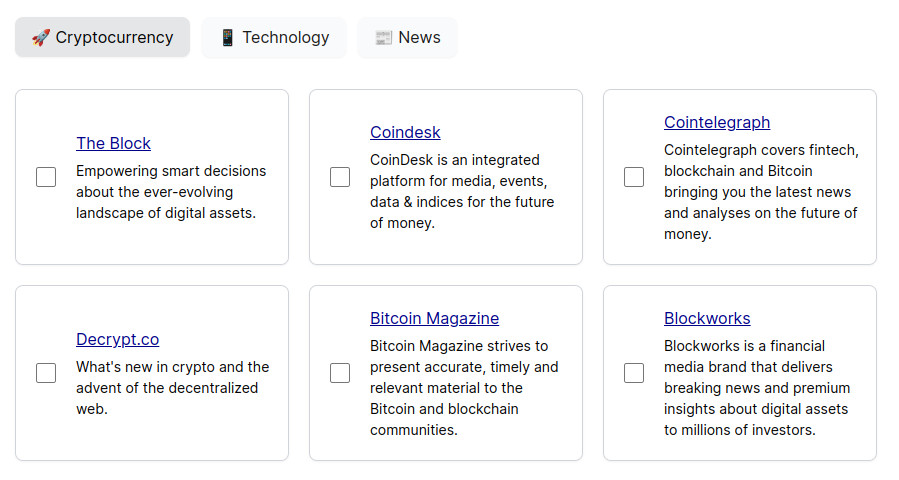
Add standard RSS & Atom feeds
Add any standard online feed to your bot. Fetch feeds from popular services like Reddit & YouTube using custom feeds. Readybot sends all RSS & Atom feeds to Discord with ease!
How Readybot works
Get started in three simple steps. No coding or technical knowledge required.Add Readybot to your Discord server
Connect your server from the Readybot Dashboard in a few clicks.
Choose your feeds
Add YouTube channels, subreddits, Twitch streams, X (Twitter) handles, Bluesky usernames, RSS feeds, or pick from curated Recommendations.
Sit back and stay updated
Readybot checks your feeds around the clock and posts new content to your chosen Discord channels automatically.
Frequently asked questions
Is Readybot free?
Yes. Readybot's core features are completely free with no time limits. Free accounts can add multiple feeds and receive automatic notifications at a ten minute interval. Paid plans are available for faster updates as quick as one minute on Premium Membership, more feeds, message customization, filters and more.
How often does Readybot check for new content?
The update interval of feed bots can be configured. Free accounts have a minimum update interval of 10 minutes. Paid plans check faster - down to 5 minutes, or every minute on the Premium Membership plan. Twitch stream alerts are delivered as fast as possible, typically within a minute of going live.
What platforms does Readybot support?
Readybot supports YouTube, Reddit, Twitch, X (Twitter), Bluesky, GitHub, Medium, WordPress, Mastodon, Crunchyroll, and any website that publishes an RSS or Atom feed. See the Help Center for a comprehensive list of integrations.
Can I send different feeds to different Discord channels?
Yes. The destination channel can be selected for each feed separately. This lets you route YouTube videos to #videos, Reddit posts to #reddit, and news to #news. You can also create separate Feed Bots to keep them fully isolated.
How do I get started?
Sign up for free, connect your Discord server, and add your first feed. The whole process takes only a minute. Watch the setup tutorial to see it in action.